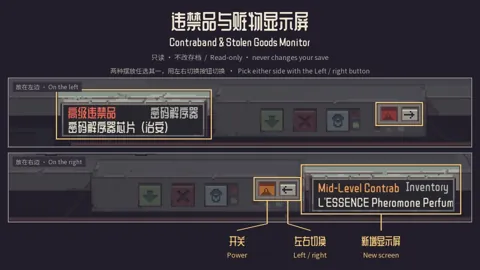
What it does
- Counterfeit checks can select a matching issue when you click an item feature; you still make the final verdict.
- Value appraisals use structured attributes for the cybernetic hand, ribwich and plasma cartridge.
Install & start using it
- Open the Workshop page and subscribe using the Steam account that owns the game.
- Let Steam finish downloading, enable the mod in the game’s Mods menu, then restart.
- Enable the mod and adjust each inspection enhancement separately in its settings.
Known limits & compatibility
- The author presents UI improvements, not a verified guarantee that every appraisal result is correct in your build.
Update or remove
Steam manages Workshop updates. To stop using the mod, disable it in Mods and restart; unsubscribe if you no longer want Steam to download it. Follow the author’s save-specific removal notes where provided.
Author & sources
Appraisal Optimize · Steam Workshop ↗This is an independent directory. The mod belongs to its author. Unspecified versions and dependencies are left unconfirmed.